








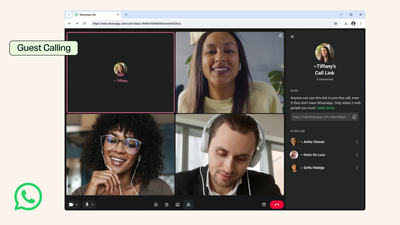
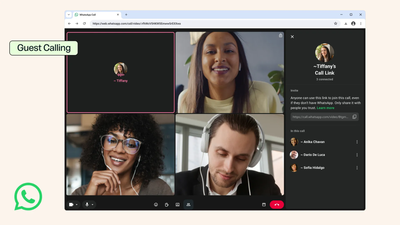
You no longer need WhatsApp to join a WhatsApp call. Meta has started rolling out guest calling, a feature that lets anyone hop on a call through an invite link without downloading the app or signing up for an account.Guests get the same basics that regular users do: free calls, end-to-end encryption and no time limit, so nobody gets cut off mid-conversation. They can also share their computer screen, react with a thumbs up or heart emoji, and raise a hand to speak.There are two catches. Only someone with a WhatsApp account can start a call and create the link. Guests also have to open that link in a browser on a computer, because mobile browsers aren’t supported yet.Setting up a call takes a few taps. Open the Calls tab, tap the “+” icon, create a call link and share it with the people you want on the call. Hosts can do this from the phone app or from WhatsApp Web. Guests then type in their name and can join one-on-one or group calls with up to 32 people.
WhatsApp guest calls keep the host in control
Guests can’t walk straight into a call. They wait in a waiting room until the host admits them, and the host can remove them at any time. Guests also can’t see other participants’ phone numbers, send messages or add anyone else to the call.Guest calling builds on web calling, which WhatsApp added in July. That update also brought noise suppression and a way to move an ongoing call between your phone and desktop.Calendar integrations come next. Later this year, users will be able to install a WhatsApp plugin for Google Calendar or Outlook, connect their account and add a call link to their invites. Everyone on the invite can join, whether or not they have WhatsApp.
About The Author